Latest Adobe AI updates, 21 November 2026: what’s live, what’s beta, and what changed since MAX
Eleven days after MAX, the release notes have caught up with the keynote. Here’s what you can open today, what’s still in beta, what got clearer this week, and whether the Black Friday offer makes sense for an Indian brand team.
Quick summary
- Live now: Photoshop Relight, Generative Restyle and a Remove tool that catches shadows; Premiere Color Mode; Firefly Edit Object and Quick Actions.
- The Firefly AI Assistant is still beta but now remembers your preferences and brand elements, with Plan Mode and a model picker.
- After Effects has a beta AI assistant that can explain inherited projects and debug expressions.
- Local MCP (outside AI agents editing your layered files) is preview-only, with a private beta expected in early 2027.
- Black Friday: 57% off the first year of Creative Cloud Pro for new subscribers until 27 November; check Indian pricing.
Summary by Neeraj. Prefer an AI take? Ask Google AI to summarise it (opens in a new tab).
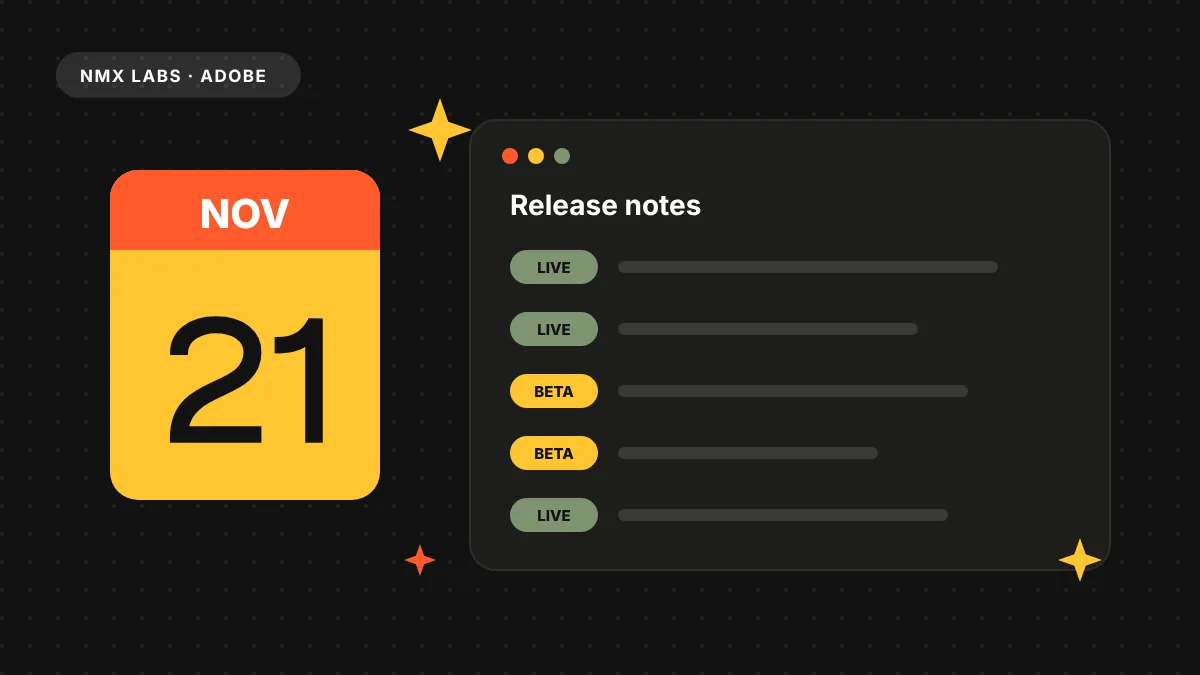
Eleven days ago Adobe spent its MAX 2026 keynote on agents, and a day later its researchers showed ten Sneaks. Since then the release notes, help pages and deal pages have filled in the details that a keynote never gives you: what is switched on in the apps today, what sits behind a beta label, and what is still a slide.


This is our status check as of Saturday 21 November 2026, written for brand and ad teams who want to know what to open this week, not what Adobe hopes to ship next year.
What you can use today
Photoshop: Relight, Generative Restyle and a smarter Remove
Photoshop picked up Relight, which changes the direction and strength of light after a photo is taken, and Generative Restyle, which shifts the look of an image with prompt-driven style sliders. There is also Quick Compare for checking versions side by side, and the Remove tool now picks up related elements such as a shadow when you remove an object. For packshots that is the difference between a clean edit and a ghost on the table.
Premiere: Color Mode
Color Mode, Premiere’s new colour-grading workspace, went live on launch day rather than into beta. If your reels come from several shooters and phones, a consistent grade is the quickest way to make a feed look like one brand.
Firefly: Quick Actions, Edit Object and more models
Firefly’s image editor now has Edit Object, which changes one element and leaves the rest of the frame alone, plus Relight and Retouch, and a gallery of Quick Actions for one-step jobs like removing an object or making a video thumbnail. The model list keeps growing: coverage from MAX put it at 36 models, with recent additions including Kling 4.0 and Seedance 2.5 alongside Adobe’s own and Topaz Labs’ upscaling models, Wonder 4 and Image HDR.
In beta: the AI assistants
The Firefly AI Assistant, powered by Adobe’s Creative Agent, is still labelled beta, but it gained the features that make an assistant usable for brand work. Plan Mode shows the steps before anything runs, a model selector lets you lock the look, and you can save brand elements to reference in prompts. The most useful addition for agencies is memory:
“Save your creative preferences, or let the AI Assistant learn from your chats”
In practice that means writing your brand rules once (colours, tone, banned claims) instead of pasting them into every prompt. You can edit or delete what it remembers, which matters if one workspace serves several clients.
Inside Creative Cloud, AI Assistants are in beta for Illustrator, Premiere, InDesign, After Effects and Frame.io. Photoshop’s assistant only appears in the Photoshop beta app for now. The After Effects one is the most interesting to us, because motion work is where junior hours disappear:
“make sense of an inherited project, debug expressions and generate images and video”
Anyone who has opened a freelancer’s After Effects file with forty unnamed precomps knows why “make sense of an inherited project” is the line that matters. Firefly Graph (beta) and Firefly Design (beta) are also open to try, while Firefly Builder, the no-code prototyping tool that press coverage framed as a move into Figma’s territory, stays in private beta.
Coming later: MCP now has a rough date
The announcement with the longest tail is local MCP. Adobe is previewing integrations that let the AI agent you already use, whether that’s Claude, ChatGPT or Gemini, make edits inside your actual Photoshop, Illustrator, Premiere and After Effects files on your own computer, with layers, sequences and compositions still editable. It is preview-only today, and coverage since MAX points to a private beta in early 2027.
Not everyone is cheering. Figma co-founder Dylan Field has argued that MCP mostly benefits the big AI labs. Our view is narrower: for a studio, anything that keeps files layered instead of handing back flat images is a step forward. Start naming your layers and comps properly now; agents can only work with what they can understand.
The Google deal, decoded
Adobe and Google announced a wider partnership at MAX, and the parts that matter for Indian teams are practical. Google’s image and video models stay available inside Firefly, Photoshop, Premiere and Express. Acrobat is coming to Google Workspace, with access from Drive and Gmail. Adobe’s creative tools are coming to AI Mode in Google Search and its connectors in Gemini are expanding. The longer bet is research:
“collaborate on new AI-powered editing capabilities, starting with Photoshop”
The same announcement listed recent joint launches including Premiere on Android, which matters more in India than most of the above: it is how most of our clients’ content gets shot.
Black Friday: is 57% off worth it?
Adobe’s Black Friday offer gives first-time subscribers 57% off the first year of Creative Cloud Pro. In the US that is $29.99 a month instead of $69.99, with students paying $15.99 a month. Adobe’s own plans page puts the deadline plainly:
“Save big on Creative Cloud Pro for a year. Ends Nov 27.”
Indian rupee prices differ, so check the plans page from an Indian account before you decide. Our rule of thumb: it is worth it if you will genuinely use three or more apps (say Photoshop, Illustrator and Premiere) plus Firefly credits. If you only need one app, a single-app plan is often still cheaper. Remember that the discount covers the first year only, and annual plans billed monthly carry a fee if you cancel early, so read the terms before you click.
What we’re doing at the studio this week
- Testing Edit Object and Relight on real packshots. Those two tools change existing product images without redrawing the product, which fits how we split AI product photography between the scene and the product.
- Writing brand rules into the AI Assistant’s memory for one internal project before we try it on client work. Clients stay in separate workspaces.
- Cleaning up After Effects templates: named layers, labelled precomps and consistent controls, so they are ready for the assistant now and for MCP next year.
We will report back once each of these leaves the testing stage. The checks we use before anything ships are in our AI design workflow.
Sources: Adobe’s MAX 2026 announcement, What’s new in Firefly, the Adobe and Google partnership release, TechCrunch, Creative Bloq and Adobe’s plans page.
Image credits
- *1 Hero illustration and infographics: original artwork by NMX Labs.
- *2 Adobe logo, a trademark of Adobe Inc., shown for identification only. Image: Simple Icons (simpleicons.org), brand icon, loaded from cdn.simpleicons.org.
- *3 Google logo, a trademark of Google LLC, shown for identification only. Image: Simple Icons (simpleicons.org), brand icon, loaded from cdn.simpleicons.org.
Related reading
 Design newsAdobe MAX 2026: 5 announcements that change how Indian D2C brands make ads
 Adobe · Most readAdobe MAX 2026 Sneaks: all 10 projects, ranked by how useful they are for brand work
 AI designAI product photography for D2C brands: what to generate, and what you still need to shoot
 Watch on YouTubeAdobe MAX 2026 keynote highlights
More from Neeraj, our AI design expert, or browse every Adobe post.

Comments
Questions, corrections or your own experience with this? Add it below. We read every comment and publish it after a quick check for spam.